Splash Scene
Avoid or Shoot needs a background. This code is puts the first image in the background. The first image is 16 x 16 px image at the top.
in this case the first image of image bank is white colour image. Of course when you save the file, save it as code.py file:
We use another image bank.

MT Studio Image Bank
1 2 3 4 5 6 7 8 9 10 11 12 13 14 15 16 17 18 19 20 21 22 23 24 25 26 27 28 29 30 31 32 33 34 35 36 37 38 39 40 | image_bank_2 = stage.Bank.from_bmp16("mt_game_studio.bmp")
# sets the background to image 0 in the bank
background = stage.Grid(image_bank_2, 10, 8)
background.tile(2, 2, 0) # blank white
background.tile(3, 2, 1)
background.tile(4, 2, 2)
background.tile(5, 2, 3)
background.tile(6, 2, 4)
background.tile(7, 2, 0) # blank white
background.tile(2, 3, 0) # blank white
background.tile(3, 3, 5)
background.tile(4, 3, 6)
background.tile(5, 3, 7)
background.tile(6, 3, 8)
background.tile(7, 3, 0) # blank white
background.tile(2, 4, 0) # blank white
background.tile(3, 4, 9)
background.tile(4, 4, 10)
background.tile(5, 4, 11)
background.tile(6, 4, 12)
background.tile(7, 4, 0) # blank white
background.tile(2, 5, 0) # blank white
background.tile(3, 5, 0)
background.tile(4, 5, 13)
background.tile(5, 5, 14)
background.tile(6, 5, 0)
background.tile(7, 5, 0) # blank white
text = []
text1 = stage.Text(width=29, height=14, font=None,
palette=constants.MT_GAME_STUDIO_PALETTE, buffer=None)
text1.move(20, 10)
text1.text("MT Game Studios")
text.append(text1)
|
As soon as you save the file onto the PyBadge, the screen should flash and you should see something like:
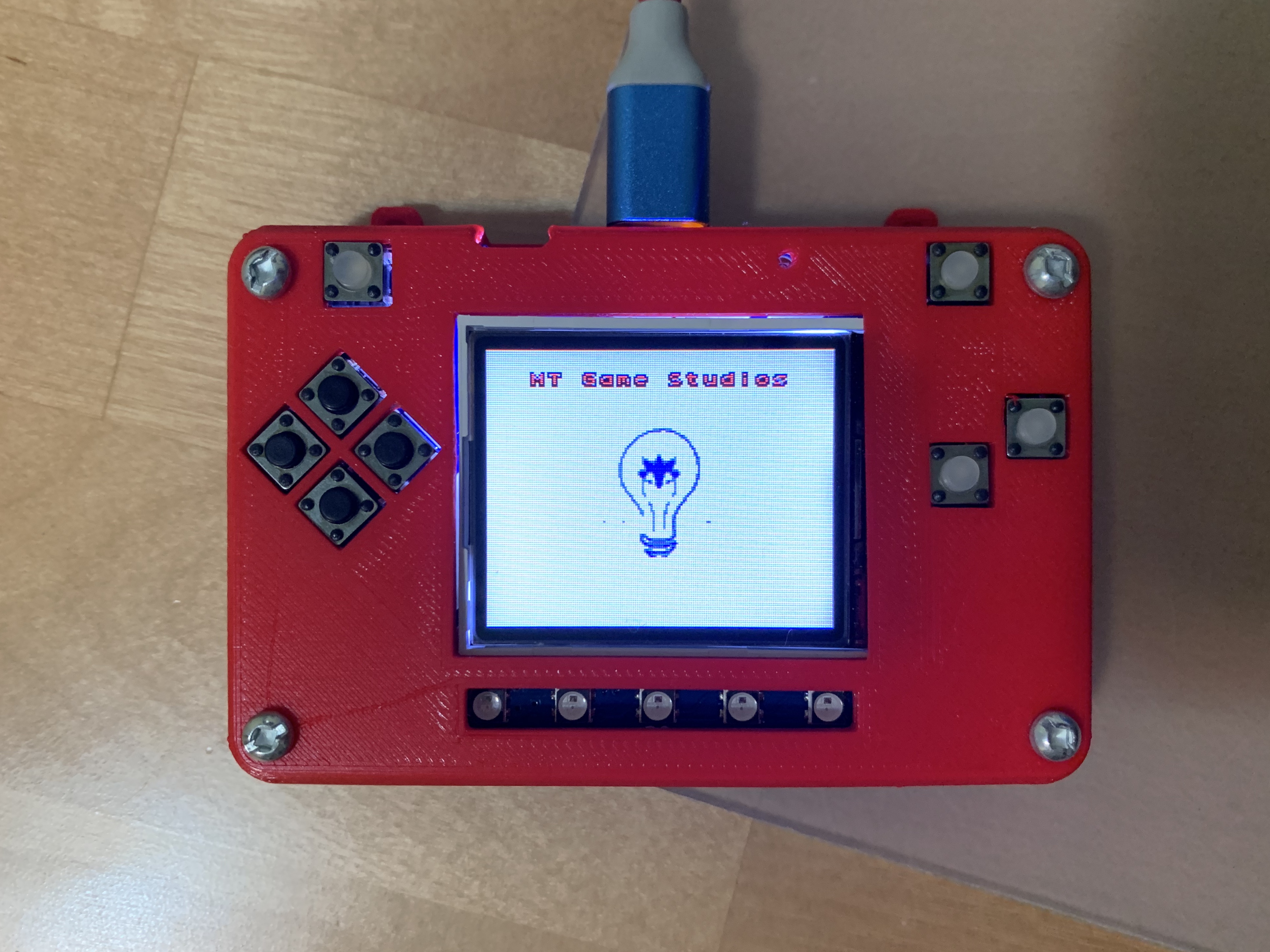
MT Studio Splash on PyBadg
1 2 3 4 5 | import time
while True:
time.sleep(1.0)
main_menu_scene()
|
That makes to switch scene to main menu scene after 1 second with timer.