Enemy
The game requires the appearance of enemies and the loading missiles.
1 2 3 4 5 6 7 8 9 10 11 12 | def show_flying():
enemy_picked = random.randint(0, 1)
if enemy_picked == 0:
if bird.y < 0:
bird.move(200, random.randint(0 + constants.SPRITE_SIZE,
constants.SCREEN_Y -
constants.SPRITE_SIZE))
else:
if enemy.y < 0:
enemy.move(200, random.randint(0 + constants.SPRITE_SIZE,
constants.SCREEN_Y -
constants.SPRITE_SIZE))
|
Create a function to show enemy. This function represents randomly set y values for the enemy. Also create a function that represents a missile like this.
1 2 3 4 5 6 7 8 9 10 | if bird.y > 0:
bird.move(bird.x - 2, bird.y)
if bird.x < constants.OFF_SCREEN_X:
bird.move(constants.OFF_SCREEN_X, constants.OFF_SCREEN_Y)
show_flying()
elif enemy.y > 0:
enemy.move(enemy.x - 2, enemy.y)
if enemy.x < constants.OFF_SCREEN_X:
enemy.move(constants.OFF_SCREEN_X, constants.OFF_SCREEN_Y)
show_flying()
|
Make this code is while loop. Then you can see the enemy moving. Also make the code that moves a missile like that.
As soon as you save the file onto the PyBadge, the screen should flash and you should see something like:
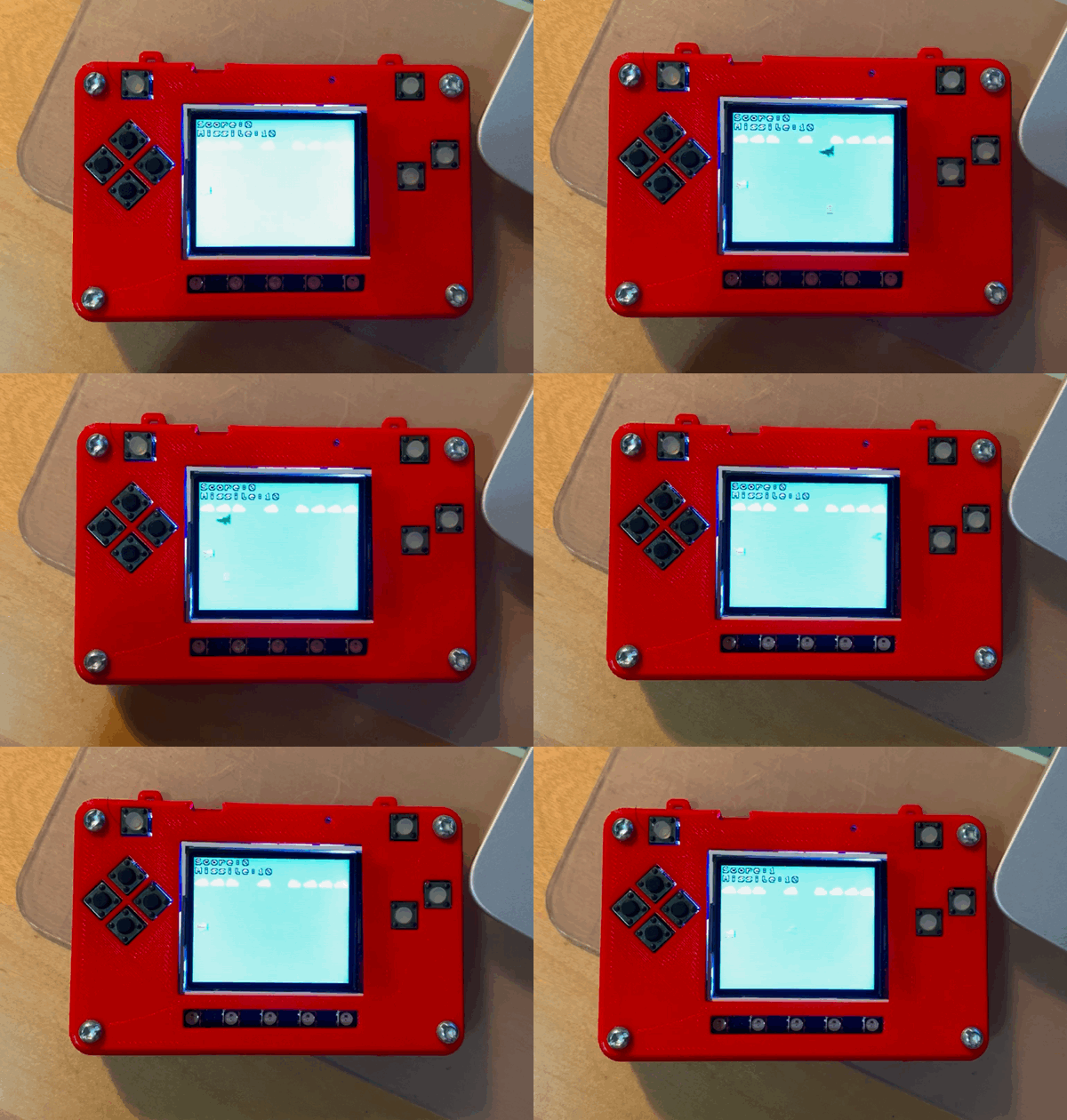
Moving enemy on Pybadge