Move Airplane
sprites can move on the screen. you make some if statements in the while loop. It makes the plane to move. In pybadge, the y value increases as it go down, so you need to subtract the y value from the Up button.
1 2 3 4 5 6 7 8 9 10 11 12 13 14 15 16 17 18 | While True:
keys = ugame.buttons.get_pressed()
if keys & ugame.K_RIGHT:
plane.move(plane.x + 1, plane.y)
pass
if keys & ugame.K_LEFT:
plane.move(plane.x - 1, plane.y)
pass
if keys & ugame.K_UP:
plane.move(plane.x, plane.y - 1)
pass
if keys & ugame.K_DOWN:
plane.move(plane.x, plane.y + 1)
pass
game.render_sprites(sprites)
game.tick()
|
As soon as you save the file onto the PyBadge, the screen should flash and you should see something like:
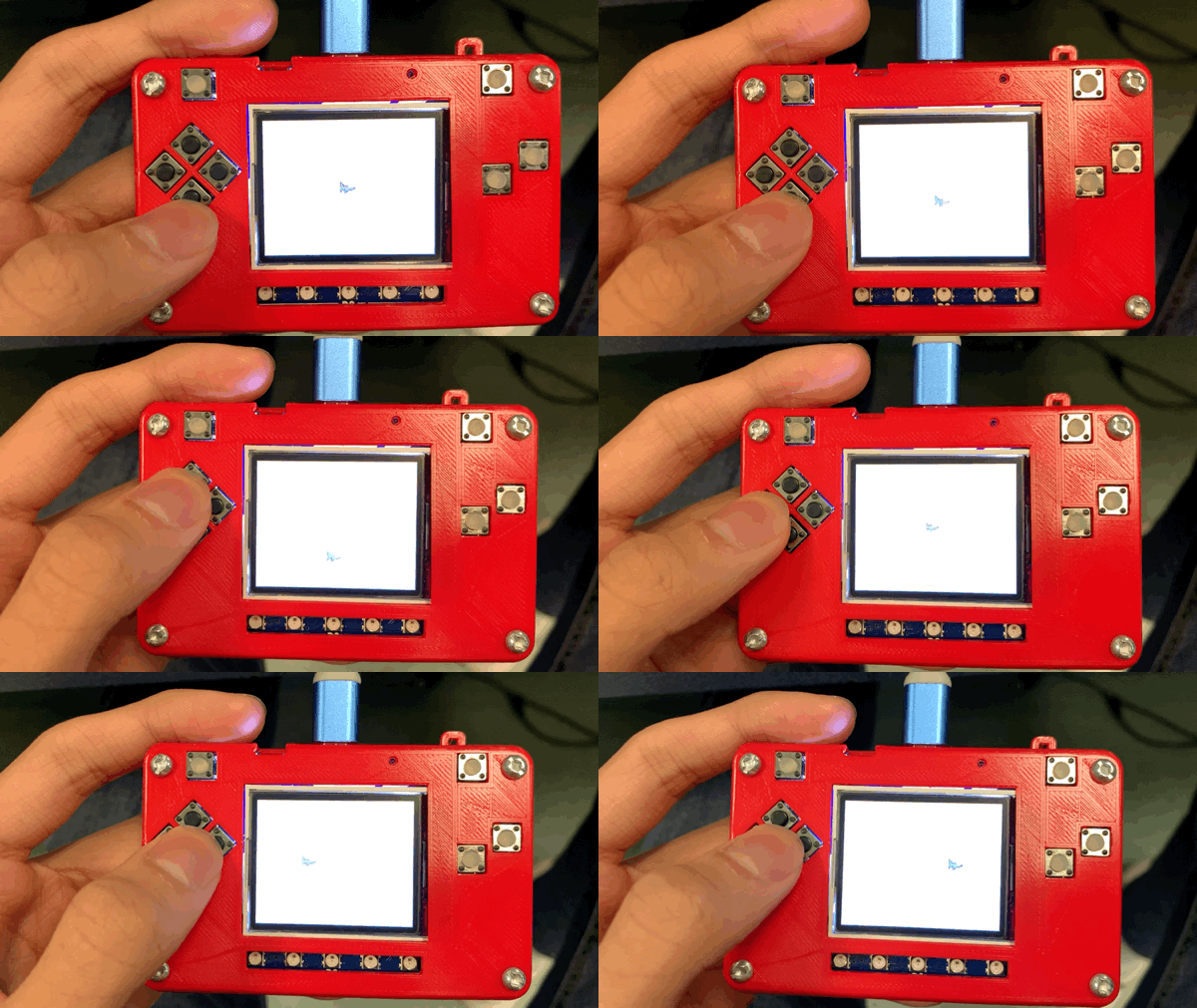
Moving sprite on background
Now, you can move a plane on your PyBadge.